Reliable Lead Classification in GA4 Using Webflow, Jotforms and Google Tag Manager


Accurately tracking leads should not be a problem. A user fills in a form, the analytics platform records a conversion and marketing reports move on! In reality, modern website tech stacks have made this task deceptively complex – particularly when different contact forms serve very different business purposes.
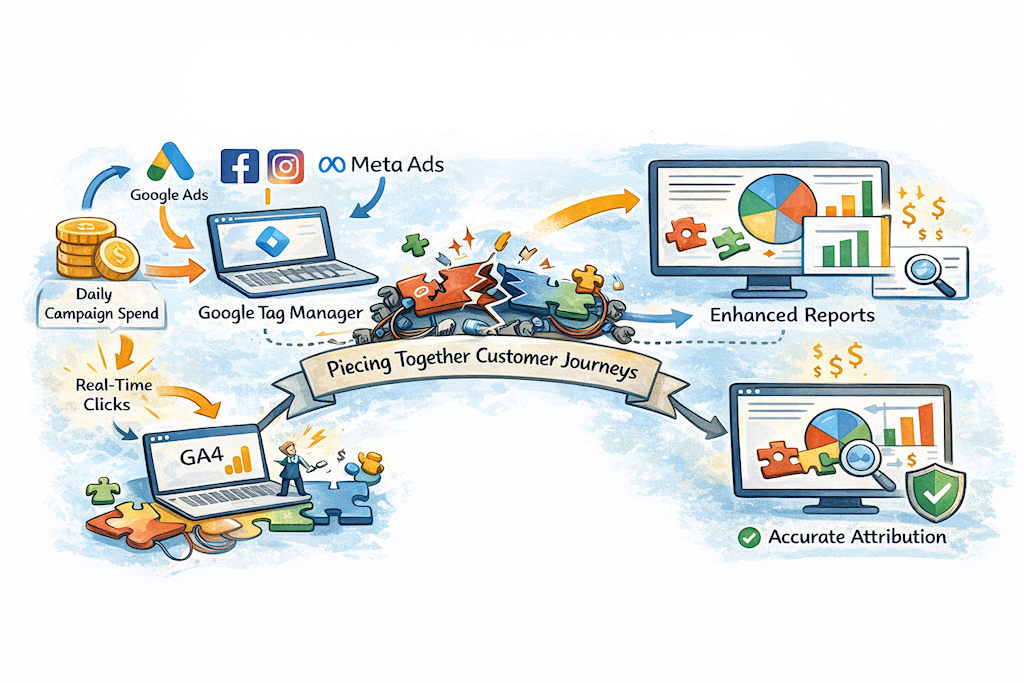
This case study documents the resolution of a real-world GA4 tracking challenge involving a Webflow website, Jotform embeds, Google Tag Manager, and derived GA4 events. The aim was not simply to “track form submissions”, but to ensure that sales enquiries and demo requests were counted as leads, while support requests were tracked separately and excluded from commercial reporting.
What made this problem interesting was not any single tool misbehaving, but the way responsibility for meaning is distributed – or not distributed – across a modern analytics stack.
The Technology Stack: Flexible, but “Unopinionated”
The website at the centre of this work is built on Webflow, with forms delivered via Jotform. Google Tag Manager is used as the orchestration layer and Google Analytics 4 is the reporting and conversion platform.
This is an increasingly common setup, but it behaves very differently from a traditional WordPress stack. In WordPress, form tools such as Ninja Forms or Gravity Forms tend to be tightly coupled to the CMS and often provide native Google Analytics integrations. Those tools typically emit explicit analytics events when a form is submitted and in some cases even attempt to define what constitutes a “lead” on the site owner’s behalf.
Jotform takes a more platform-agnostic approach. It does not fire GA4 events, does not push anything directly to the dataLayer and does not attempt to interpret the business meaning of a submission. Instead, on successful submission it emits a browser ‘postMessage’ indicating that a submission has occurred, sometimes accompanied by a form identifier. Webflow, similarly, is intentionally lightweight and avoids imposing any opinionated analytics model.
From a technical perspective, this is not a weakness, but it does mean that business meaning must be applied deliberately elsewhere. In this case, that responsibility fell squarely on Google Tag Manager and GA4.
The First Attempt: Events Without Meaning
The initial tracking approach followed a familiar pattern. A Custom HTML listener in GTM listened for Jotform’s submission success signal. When detected, it pushed a custom event, “jotform_submit” into the dataLayer. A GA4 Event tag then listened for “jotform_submit” and sent a “generate_lead” event into GA4.
On the surface, this appeared to work. GTM Preview showed the event firing reliably. GA4 Realtime occasionally displayed “generate_lead”. No JavaScript errors were present and nothing appeared obviously broken.
Yet almost immediately, inconsistencies emerged. Events appeared in GA4 Realtime Tracking but not in the standard Events report. Attempts to create a derived event for qualified leads silently failed. Some test submissions appeared to “stick”, others vanished entirely. Internal IP filtering further obscured results, as GTM Preview happily showed events firing that GA4 quietly discarded.
At this point, it was tempting to conclude that GA4 was unstable or unreliable. In reality, GA4 was behaving entirely as designed.
The Real Problem: Context Was Missing
The breakthrough came from stepping back and examining not whether events were firing, but what information those events actually contained.
The original listener confirmed that a submission had occurred, but it did not reliably pass through the form ID. From GA4’s perspective, every submission looked identical. There was no way to distinguish a sales enquiry from a support request, or a demo booking from a contact form.
This was critical, because all downstream logic depended on knowing the form’s intent. Lookup tables in GTM could not resolve form names or types without a deterministic identifier. Derived events in GA4 could not evaluate conditions without a parameter to test. Conversion logic had nothing to anchor itself to.
In short, the system knew that something happened, but had no idea what happened!
Why GA4 Made This Harder to Diagnose
Several characteristics of GA4 amplified the confusion.
Realtime reporting, while useful for reassurance, does not guarantee that an event will be persisted into standard reports. Derived events do not backfill; if a base event occurs before a derived rule exists, that derived event will never be created retroactively. Low-volume custom events may take time to surface unless they are tied to registered dimensions or marked as conversions. And IP filtering is applied before reporting ingestion, meaning GTM Preview can be deeply misleading if internal traffic exclusions are active.
None of these behaviours are bugs, but together they create a perfect storm for false confidence during testing.
Fixing the Right Thing: The Listener, Not GA4
The decisive fix was not changing GA4 configuration, but improving the Jotform listener itself.
Rather than simply reacting to a submission success signal, the listener was updated to parse Jotform’s postMessage payload properly and extract the form ID in a reliable way. That form ID was then pushed into the dataLayer alongside the submission event.
This small change transformed the entire system. For the first time, GTM had a stable identifier it could use to apply business logic.
Enriching the Event Where It Belongs
Once the form ID was available, GTM became the natural place to enrich the event.
Lookup tables mapped the form IDs to human-readable form names and, critically, to a form_type parameter indicating whether the submission represented a sales lead or a support request. A single GA4 event (still called generate_lead) was sent for every submission, but now carried rich, explicit context.
The forms themselves remained deliberately dumb. Jotform continued to signal only that a submission had occurred. Webflow remained blissfully unaware of analytics intent. All classification logic lived centrally in GTM and GA4, where it could be audited, changed, and scaled.
The Final Event Model
The end result was a clean, layered event architecture.
All form submissions trigger a base generate_lead event, which is never marked as a conversion and serves primarily as a raw signal and QA mechanism. From that base, GA4 derives two business-meaningful events. ‘qualified_lead’ fires only when the submission is associated with a sales or demo form and is marked as the sole Key Event. ‘support_request’ fires when the submission relates to support and is explicitly excluded from commercial reporting.
This structure mirrors event-driven architecture best practice: raw signals first, interpreted meaning second.
Verification and Confidence
Verification shifted away from chasing GA4 reports and towards inspecting event payloads in GTM Preview, specifically using the Variables “Values” view rather than Names. Once form_type = lead was visible at the GTM level, the appearance of qualified_lead in GA4 became a matter of time rather than doubt.
From that point on, the system behaved predictably.
Outcomes and Takeaways
Once implemented, lead reporting stabilised immediately. Support requests no longer inflated conversion numbers. GA4 regained credibility as a reporting tool. Perhaps most importantly, adding new forms became trivial: assign a form ID in a lookup table and the rest of the system simply worked.
The key lesson is not about GA4 quirks or Jotform limitations. It is about ownership of meaning. In composable stacks, tools emit signals & analytics defines intent. When that boundary is respected, tracking systems become robust, scalable and defensible!