Measuring AI-Driven Traffic in GA4: A Practical Case Study
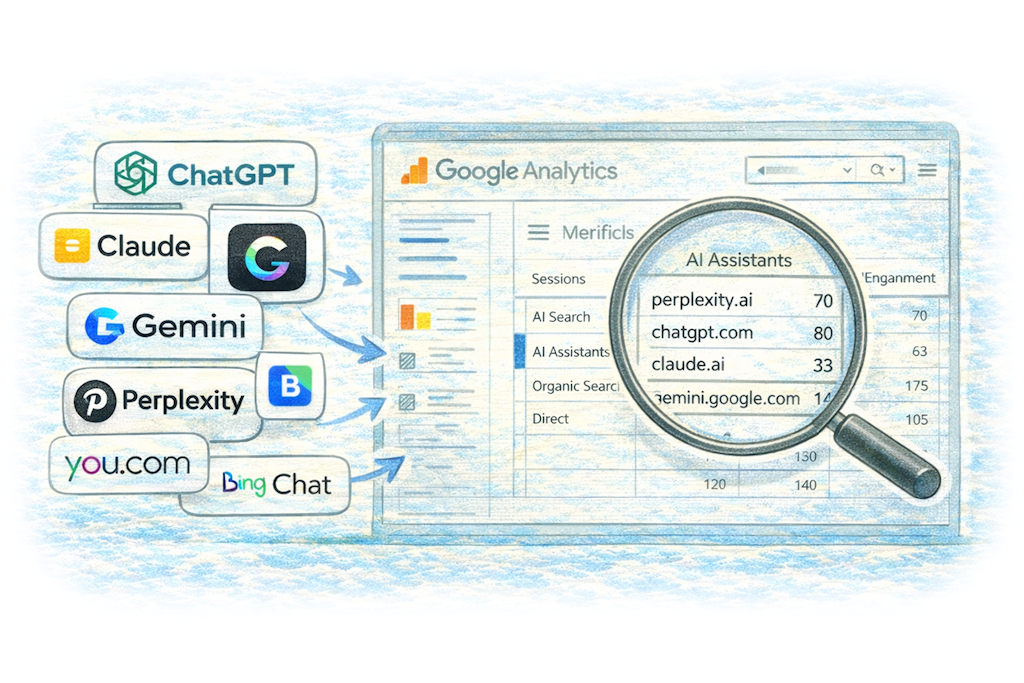

Over the last 12 months, one question has been quietly gaining momentum in marketing teams:
“Are AI tools sending us traffic?”
As platforms like ChatGPT, Perplexity and Gemini increasingly surface website links inside generated answers, referral traffic from AI interfaces is becoming measurable – if you know where to look!
Rather than speculate, we decided to build a structured way to track it inside GA4, and this case study outlines how we implemented a clean reporting framework to isolate and analyse traffic from AI tools, and what that unlocks from a strategic perspective.
Why Tracking Ai Matters
AI tools now act as a hybrid between:
- Search engines
- Research assistants
- Discovery platforms
- Content summarisation engines
Users are increasingly asking AI tools questions that previously would have been typed into Google and when those AI interfaces cite sources and users click through, the visit is often recorded as referral traffic. This means without deliberate configuration, that traffic disappears into “Referral” or “Unassigned”. From a marketing leadership perspective, that’s a missed signal.
Step 1: Identify AI Referrer Domains
The first task was to identify which AI platforms were sending traffic.
Examples include:
- ChatGPT
- Claude
- Gemini
- Perplexity
- You.com
- Bing Chat
- Kagi
Some act more like conversational assistants, while others behave much more like AI-enhanced search engines.
Rather than manually tagging traffic every time we spotted a new source, we created a scalable “regex expression” to match common known AI domains.
To accelerate this, we used a generic AI assistant (irony) to help compile and structure the regular expression. The initial draft provided a strong base list of domains, including escaped characters and grouping logic. We then manually refined it to:
- Ensure correct anchoring (^ and $)
- Preserve subdomain logic where required
- Avoid over-matching generic .ai domains
- Maintain GA4 compatibility
This produced a clean, drop-in regex that could be reused and updated over time.
Step 2: Create Custom Channel Definitions in GA4
Rather than building a one-off exploration report, we wanted AI traffic visible inside standard acquisition reporting, so we implemented a custom Channel Group in GA4. Inside Admin > Data Settings > Channel Groups, we duplicated the default channel group and created two new custom channels:
- AI Search
- AI Assistants
Each channel used a “Session source matches regex” rule. To put this another way, we intentionally split the traffic buckets thus:
AI Assistants
Conversational LLM interfaces such as ChatGPT, Claude, Gemini and Copilot.
AI Search
AI-enhanced discovery platforms such as Perplexity, You.com and Kagi.
The order of rules matters in GA4. We placed AI Search above AI Assistants to ensure more specific matches were captured first.
Once saved and published, these new channels appeared in standard reports such as Traffic Acquisition and Explore.
Step 3: Build a Dedicated AI Traffic Report
Rather than creating two separate reports, we created a single “AI Traffic Overview” report.
The report filtered Session Default Channel Group to include:
- AI Search
- AI Assistants
Key metrics included:
- Sessions
- Engaged sessions
- Engagement rate
- Average engagement time
- Conversions
- Revenue (where applicable)
This allowed side-by-side comparison.
From there, we added comparisons against Organic Search and Direct traffic to assess behavioural differences.
Step 4: Validate the Classification
Before trusting the data, we validated the channel assignment. Using an Explore report, we cross-referenced:
- Session source
- Session default channel group
We filtered for domains such as:
- perplexity
- chatgpt
- you.com
This ensured traffic was landing in the correct bucket, a critical validation step.
What This Unlocks Strategically
With AI traffic segmented, several marketing insights become possible:
- Does AI Search behave more like Organic Search?
- Do AI Assistants send traffic deeper into blog content?
- Is engagement time higher or lower than traditional search?
- Are AI-driven visits converting?
Over time, this becomes a directional indicator of “LLM visibility”.
It is not perfect measurement, as some AI interfaces strip referrer data; some traffic still appears as direct and so attribution remains imperfect. However, structured segmentation transforms anecdotal observations into measurable trend lines which adds value.
Early Observations
While traffic volumes remain modest for most UK B2B sites, patterns are emerging. We’ve found that:
- AI Search platforms often behave similarly to Organic Search in terms of engagement.
- Conversational assistants tend to send traffic to highly informational content rather than commercial pages.
- Conversion rates vary significantly by content type.
- The key insight is not raw volume. It is behavioural difference.
A Note on Future-Proofing
The AI ecosystem evolves rapidly and of course new platforms will emerge rapidly. With this in mind, rather than building a static rule set, we documented the regex structure so that domains can be appended as needed. This approach keeps reporting flexible without fragmenting channel architecture.
Conclusion
AI tools are not replacing traditional search overnight. But they are becoming a measurable discovery layer and by implementing a structured GA4 channel framework, we:
- Made AI traffic visible
- Separated assistant-driven visits from AI search behaviour
- Enabled behavioural comparison
- Created the foundation for long-term LLM visibility reporting
For marketing managers, this is not about chasing hype. It is about building measurement capability early.
Because when AI-driven discovery scales, the teams who can see it clearly will make better strategic decisions.
Tracking AI-generated traffic helps marketers understand how AI platforms are influencing discovery and content engagement. Over time, it can reveal whether AI tools behave more like search engines, referral channels or new types of discovery platforms.
AI traffic can be tracked in GA4 by creating custom channel groups that match known AI referrer domains using regular expressions. This allows marketers to group traffic from AI assistants and AI search platforms into dedicated reporting categories.
Yes, in many cases GA4 can detect traffic from AI tools when users click links inside AI-generated responses. These visits usually appear as referral traffic from domains such as chatgpt.com, perplexity.ai or you.com, although some AI tools may hide or strip referrer data.